Login
Your link will open in a new tab
If this has not happened, please click here

As HR and Health & Safety professionals, we noticed a significant gap in the market, and more importantly employer’s knowledge of effective business administration and regulations, plus the need for businesses to digitalise the HR and Health & Safety management process.
 oneHR
oneHRRemove the HR management headache
oneSAFEMake Health & Safety compliance seamless
oneHR oneSAFE oneHR Back oneSAFE Back test BackIf this has not happened, please click here

To add a new Department on oneHR, start by clicking on the Admin option from the main left-hand side menu.
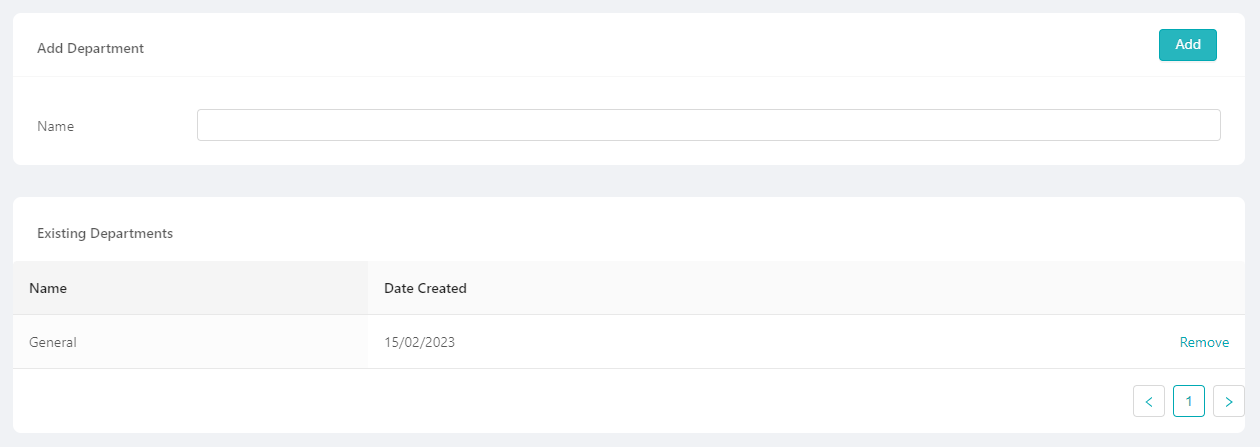
From the admin menu, select the Departments option. Here you will see a list of existing departments along with the option to create/add a new one.
When adding a new department, you are prompted to give the new department a name, once you have filled this in and hit save, this department will now be available for the you to assign employees against.

February 23, 2023
To add a new Employee Custom Field on oneHR, start by clicking on the Admin option from the main left-hand...
Read more about Adding a Custom Field
February 23, 2023
To change the leave period on oneHR, start by clicking on the Admin option from the main left-hand side menu....
Read more about Setting up the Leave Period
May 15, 2023
To mark a task as complete, start by heading into the Task section by clicking on the Tasks option from...
Read more about Marking a Task as Complete
May 15, 2023
To add a new Employee Custom Field on oneHR, start by clicking on the Admin option from the main left-hand...
Read more about Creating a Custom Field